BLOGS
BLOGS  NEWSROOM
  CASE STUDIES
  WEBINARS
  PODCASTS
  ASSET HUB
  EVENT CALENDAR
























TL;DR
- An AI receptionist needs four things from the PMS: open slots, a match to the right patient, a booking write, and a place to put the insurance details for verification.
- The published write lists differ more than vendor marketing suggests. Desktop Dentrix’s Write List has no appointment creation (the other route is a separate Scheduling API category Dentrix doesn’t detail), Patterson’s 2018 Eaglesoft documents list confirmation and arrival but not booking, and Open Dental, Denticon, Dentrix Ascend (now marketed as Ascend by Dentrix), and CareStack publish booking writes.
- Of the seven systems here, only Dentrix Ascend, Open Dental, and CareStack publish change events today. Denticon’s are in development, so on most of them your AI works from polled data and a slot can go stale mid-call.
- Tell the caller “you’re booked” only after the PMS has accepted the appointment, and you’ve read it back.
- Every company that touches the call audio or the patient data needs a business associate agreement (BAA), including your speech-to-text, model, and telephony providers.
A patient calls a Dentrix practice at 7:40 in the evening to book a cleaning, and before your AI receptionist can offer Tuesday at 10, it has asked the practice management system (PMS) four questions. Is there an open slot? Who is this caller? Can I book it? What insurance do they have?
When we scope a dental PMS integration, the first thing we map is what the software is allowed to write, object by object. For an AI receptionist, that list decides more about the product than the voice model does, and it differs a lot between Dentrix, Eaglesoft, Open Dental and Denticon. If you’re building the AI itself, our dental AI development page covers that side. This guide is about the PMS.
What Does an AI Receptionist Need From the Dental PMS?
Four operations, in this order, on every booking call.
- Read open time. Providers, operatories, appointment types and their lengths, blockouts, and the appointments already on the book. Some PMSs return open slots directly. Others give you the schedule pieces and leave the arithmetic to you.
- Match the caller to a patient. Phone number, name and date of birth, then a decision: existing patient, new patient, or not sure.
- Write the booking. An appointment for that patient, in that operatory, with that provider, at that time, in a status the front desk recognizes.
- Capture insurance. Payer, member ID, subscriber and relationship, stored where the team (or an eligibility check) can pick it up before the visit.
Reading is the easy half, and it’s where a lot of “integrates with” claims stop. A read-only sync can answer “are you open Tuesday?” It can’t put the patient in the chair. Before you commit to a PMS, check each of the four against that vendor’s published write list. If one unified dental API already covers your PMS list, the objects you need and the write depth, start there; the trade-offs per PMS are on our dental PMS integration page, with the access route, fees and full write-back picture for each system.
Dentrix AI Receptionist Integration: The Scheduling API, the Write List and Ascend
Dentrix comes in two editions with two different answers.
Desktop Dentrix runs on the practice’s own server. Henry Schein One’s Dentrix API Program FAQ (read October 25, 2026) lists four API categories: Read, Write, Claims Summary, and a separate Scheduling API that “provides access to scheduling and appointment-related functionality” and is “not available to non-commercial participants.” That distinction matters for an AI receptionist.
- The Write List doesn’t book. The published Write List has 55 items. The appointment ones update an appointment’s status, add or append appointment notes, and manage appointment-book day notes. Appointment create isn’t on the Write List; the other route is the separate Scheduling API category, which Dentrix describes only as “scheduling and appointment-related functionality.” Confirm create access with Dentrix before you plan on it.
- It does create patients. sp_createpatient (“Create Patients/Family Members/New Families”) is on the Write List from Dentrix G6.3.
- Open time is assembled. The Read List exposes provider, operatory and practice schedules, schedule exceptions, time blocks and a “Modified Appointments” procedure. Your AI works out free time from those.
- It authenticates a signed application. Your app registers through the API rather than through an OAuth login; OAuth 2.0 belongs to Dentrix Ascend.
- There’s a local piece. The FAQ is plain that the API “is designed for on-premise integrations,” so a cloud AI needs a service running at each office.
- Access is gated. Application, use-case review and a signed agreement, with a one-time $5,000 for read and $5,000 for write plus a monthly royalty by API category (FAQ, October 2026).
Raise it in your use-case review, before you promise a customer that your AI books into desktop Dentrix.
Dentrix Ascend is cloud-based and a much shorter story. Its REST API uses OAuth 2.0, creates and updates appointments and patients, and pushes changes through StreamAPI webhooks over Amazon SNS. Each practice’s Ascend admin enables your product under Vendor Enablement, and you get 60 days of sandbox access, then need more than 1,000 sandbox calls verified before production credentials.
Can an AI Receptionist Book Into Eaglesoft?
Maybe, and Patterson decides. Eaglesoft runs on the practice’s server, its API installs with the Eaglesoft server, and access goes through the Patterson Innovation Connection: vendors submit a request form for consideration, and documentation comes after enrollment.
Patterson’s method documents, dated 2018, tier read access by connection level and list limited writes: patient contact details and preferences, plus appointment confirmation, arrival and a “sooner if possible” flag. Creating an appointment isn’t on that list. The documents are old, so confirm the current write set with Patterson at enrollment rather than assuming either way.
Two practical points for a voice product. The practice server has to be on for your AI to read or write anything live, so after-hours calls need a plan for a switched-off server. And Patterson warns practices about integrations built to Eaglesoft without its authorization, which rules out reaching into the database directly. Fees aren’t published.
Open Dental AI Receptionist Integration: Slots, Create, Confirm
Open Dental’s docs publish every call a receptionist needs. Its Appointments API (read October 25, 2026) lists three:
- Appointments GET Slots “looks at open schedule times,” whether schedules sit on a provider or an operatory.
- Appointments POST (create) books it, and the docs say to “use Appointments GET Slots to find available times.”
- Appointments PUT Confirm sets the confirmation status.
Two details change the design. First, speed. The free tier is “Read All (1 request per 5 seconds throttle),” and appointment writes need the $30-per-location tier in Open Dental’s published pricing on its API permissions page. A caller won’t wait five seconds between lookups, so a live receptionist needs a paid tier and a short list of slots fetched before it speaks. Second, location.
Open Dental usually runs on the practice’s own server, and the Remote API only works while the office’s eConnector is running, per the API setup docs. Writes go through the API: Open Dental calls it “the approved method of writing to the database,” so a table-level write is off the table.
Open Dental is where we’ve shipped production write-back. For a multi-location family dentistry practice running Open Dental, we connected it to a clearinghouse and wrote verified insurance benefits back into the PMS: 15-20 minutes saved per eligibility check, ~40% less administrative burden and 60% fewer data-entry and verification errors (Open Dental insurance verification case study). That build writes benefits, not appointments. Open Dental’s API in depth is on our Open Dental integration page.
Denticon AI Receptionist PMS Integration, and Planet DDS’s Own Agents
Denticon is cloud-based, which helps a voice product: no office server to be switched off, and one integration can cover every location in a group. Planet DDS opened its API program in July 2024. You apply, and Planet DDS approves portal access.
The Denticon API Portal lists the writes a receptionist needs: booking, confirming and cancelling appointments, creating and updating patients, and setting insurance eligibility on an appointment. Its Subscriptions API for webhooks is marked “in development,” so until it ships, your AI polls Denticon for changes.
Planet DDS also builds front-desk agents of its own. Its February 26, 2026 release announced DentalOS AI Agents: a Confirmation Agent that “verifies patient identity before sharing protected health information” and “writes confirmation and reschedule outcomes back into Denticon and Cloud 9,” and a Scheduling Agent that books from recall lists, waitlists and unscheduled treatment. If your product sells into Denticon groups, expect buyers to ask how you fit alongside it.
Which PMSs Push Changes, and Which Make You Poll?
Dentrix Ascend, Open Dental and CareStack publish change events. Denticon’s are in development, and desktop Dentrix, Eaglesoft and Curve publish none, so your AI polls. Polling means the slot you read a minute ago might be gone by the time the caller says yes. The table shows where each system stands, as each vendor publishes it in October 2026.
| PMS | Booking write published? | Create a patient? | Change events | Where it runs | Test environment |
|---|---|---|---|---|---|
| Dentrix (desktop) | Not on the Write List; other route is the separate Scheduling API category (confirm create access) | Yes, from G6.3 | Not published (poll; “Modified Appointments” read) | Practice server, local service at each office | No hosted sandbox; downloadable builds |
| Dentrix Ascend | Yes | Yes | Yes (StreamAPI webhooks over Amazon SNS) | Cloud | Yes, 60-day sandbox |
| Eaglesoft | Not in the 2018 docs (confirmation, arrival only) | Not in the 2018 docs | Not published | Practice server | Local demo database (2018 docs) |
| Open Dental | Yes ($30 tier) | Yes | Yes (API Subscriptions) | Practice server via eConnector, or Open Dental Cloud | Yes, hosted test database |
| Denticon | Yes (book, confirm, cancel) | Yes | In development (Subscriptions API) | Cloud | Yes, sandbox |
| CareStack | Yes (create, cancel, check out, status) | Yes | Yes (webhooks) | Cloud | Yes, after a mutual NDA |
| Curve | Not published | Not published | Not published | Cloud | Not published |
On a polled system, poll the schedule more often during opening hours and fetch the day’s open time right before the AI offers it. Both cut the window; neither closes it. The dental PMS integration matrix on our integration page carries the same systems with access routes and auth, in a printable version.
What’s changing next. Dentrix Ascend’s API docs ended RabbitMQ support on September 27, 2026 (events now arrive only as webhooks over Amazon SNS), and a Denticon integration can stop polling once its Subscriptions API ships.
Build an AI Receptionist That Books Directly Into Your Dental PMS. Talk to Us.
How Do You Stop an AI Receptionist From Double-Booking?
Treat the booking as unconfirmed until the PMS says otherwise. While your AI talks, a front-desk person can book the same chair, another call can take it, and a polled schedule can already be out of date. Open Dental’s create call, for one, doesn’t say it checks for overlap, so the check is yours.
The sequence we use:
- Read open time and offer one or two slots.
- When the caller agrees, write the appointment.
- Wait for the PMS to accept it and return the appointment’s ID.
- Read that appointment back, and the slot around it, to confirm nothing else landed there.
- Only then say “you’re booked.”
If step 3 fails or step 4 shows a clash, the caller hears “that time just went, can I offer 10:40?” and never a false confirmation. Retries need care too: if a write times out, look for the appointment before writing it again, or a network blip becomes a double booking. On a PMS with no event feed, we plan for the polling delay up front and keep the read-back in every call.
What Should the AI Do When the PMS Write Fails?
Decide the wording for each failure before you decide the happy path, because a caller remembers a broken promise longer than a slow answer.
- Write rejected (slot gone, a required field missing, a provider not scheduled): offer the next open time and try once more.
- PMS unreachable (office server off, eConnector down, a vendor outage, an expired key): don’t pretend. Take the request, say the practice will confirm, and put a task in the front desk’s queue with the caller’s number and preferred times.
- Patient match unclear (two records share the phone number, the name doesn’t match): book nothing against a guess. Collect the details and hand it to staff.
- After hours, urgent: follow the practice’s own rules for emergencies, and keep clinical triage out of the AI’s hands unless the practice has written those rules down.
Log every attempt, the PMS response and what the caller was told. When a patient says “your system booked me,” that log is how the practice answers.
How Should the AI Match Callers and Capture Insurance?
Matching is where duplicate records and privacy problems both start. Phone number alone isn’t enough, because families share numbers and a parent often calls for a child. Match on phone plus name plus date of birth, and create a new patient only when nothing matches. Anything in between goes to staff, since merging duplicates later is a PMS clean-up job nobody enjoys.
Before the AI says anything from the record (the next appointment, a balance, what treatment is planned), HIPAA’s verification rule applies. 45 CFR 164.514(h) requires a covered entity to “verify the identity of a person requesting protected health information and the authority of any such person to have access” when it isn’t already known. For a voice agent, that’s a scripted identity check before any disclosure, and a rule for what it says when the check fails.
Insurance capture is simpler than verification. The AI collects the payer, member ID, subscriber name and date of birth, and the patient’s relationship to the subscriber, and saves them to the patient. The eligibility check itself runs as an electronic request and response (X12 270/271, the HIPAA eligibility standard under 45 CFR 162.1202) before the visit.
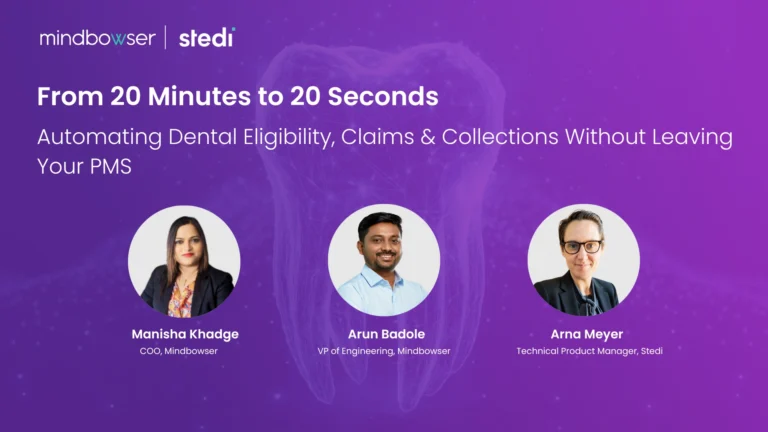
Our dental insurance verification automation page covers how that writes back to the PMS, and the step-by-step front-desk version is in how to verify dental insurance. In our dental eligibility automation webinar, our VP of Engineering, Arun Badole, runs the Mindbowser build live on Open Dental with Stedi’s product team, from the 271 response to the benefits landing in the patient’s record.
HIPAA, BAAs and Outbound Calls for an AI Receptionist
The practice is the covered entity. Your AI receptionist company creates, receives and transmits protected health information on the practice’s behalf, so it’s a business associate and signs a BAA with each practice. That part most vendors know.
The part that gets missed is downstream. The speech-to-text service, the model provider and the telephony platform all handle the call audio or the transcript. Under the HIPAA definition in 45 CFR 160.103, a subcontractor that creates, receives, maintains or transmits protected health information on behalf of a business associate is itself a business associate. 45 CFR 164.502(e) lets you pass PHI to that subcontractor only with satisfactory assurances, which means a BAA.
Before a single live call, list every company in the audio path and check you hold a BAA with each. Our guide to business associate agreements under HIPAA covers what goes in one.
Read only what the call needs, and treat recordings and transcripts as PHI with the same access controls as the chart.
Outbound calls are a separate question from answering the phone. In February 2024 the FCC confirmed (FCC-24-17) that AI-generated voices count as “artificial or prerecorded voice” under the Telephone Consumer Protection Act, so calls using them need the called party’s prior express consent unless an exemption applies.
If your AI also calls patients for recalls or confirmations, get consent handling and the exemptions reviewed by counsel. Recall outreach itself is covered in our guide to dental recall software. This section isn’t legal advice.
How to Test an AI Receptionist Integration Before the First Live Call
Test the failure paths first, in each vendor’s test environment (Figure 4) and against the PMS versions your customers actually run. The happy call works in every demo.
The cases to have passing before go-live:
- Slot race: a second booking lands in the same slot mid-call.
- Rejected write: a missing required field or an unscheduled provider.
- Duplicate patient: two records share the caller’s phone number.
- Family number: a parent books for a child.
- Server off: the office server or eConnector is down at 7:40 pm.
- Timeout and retry: the write times out and is retried.
- Version mismatch: a call the customer’s PMS version doesn’t support.
- Unreadable insurance: the caller doesn’t know the member ID.
Every one should end in a correct booking, a new offer or a staff task, and the log should show which.
Building the PMS Side of Your AI Receptionist
We build the PMS integration layer for AI-receptionist products: the local service each desktop Dentrix or Eaglesoft office needs, the booking and patient writes, confirm-after-write, polling where a PMS publishes no events, and the failure paths above. We help you through each vendor’s partner application (approval is the vendor’s call), and after launch we keep it running, adjusting the integration when a vendor changes its API.
For Dentrix, Eaglesoft, Denticon, CareStack and Curve, we build to each vendor’s route. The voice-agent method itself is covered in our guide to AI voice agents in healthcare, and building the dental AI product is on dental AI development.
Outside dental, we built the connector that lets an AI receptionist work inside a hospital EHR. For a venture-backed AI health company, our Cerner Millennium connector for AI scheduling and documentation agents gives the scheduling agent patient search and appointment write, plus shared insurance and practitioner-directory lookups.
Booking into medical EHRs as well? Some AI receptionists serve dental groups inside health systems, or move into medical practices. ConnectHealth, our integration platform, runs that side: you deploy it in your own cloud environment, it connects to Epic and athenahealth over FHIR (each subject to that EHR’s own app approval), and its workflow engine includes AI agent tools with MCP support.
For AI steps, use a model inside your environment or the Guardrails node so PHI stays there. See ConnectHealth for Epic and athenahealth. The dental PMS side stays a Mindbowser build.
We work in 2-4 week sprints under a signed BAA, with SOC 2 Type II in place, and you own the code and the data.
Start With What Your AI Is Allowed to Write
Before your next sales call, review the PMS platforms your customers use and compare each one against its vendor’s published write list. Understanding these capabilities is essential before committing to an AI receptionist integration.
Check whether each PMS allows appointment booking and patient creation. Determine whether it pushes changes automatically or requires polling to keep scheduling information updated.
Next, define what the AI should tell callers when an operation fails. Establish these responses before designing the successful booking workflow.
This assessment will help you identify which customers you can serve this quarter and which integrations require further discussions with PMS vendors.
Next reads: Dental PMS integration for access routes and fees per system · AI in dentistry for where AI is used in practices today.