













 BLOGS
 NEWSROOM
 CASE STUDIES
 WEBINARS
 PODCASTS
 ASSET HUB
 EVENT CALENDAR
























TL;DR
- Recall lives in the PMS as a handful of fields: a recall type, an interval, a due date and a status. Recall software reads those fields and should write a status back. If it can’t write back, someone re-keys it.
- The reminder’s status and the appointment’s confirmation are two different records. Both should land in the PMS.
- Automated reminder texts to a mobile number need the patient’s prior express consent, or must meet every condition of the Federal Communications Commission (FCC) healthcare exemption: one message a day, three a week, 160 characters, no billing or promotional content, and STOP honored immediately.
- Under HIPAA, a reminder is a treatment communication, not marketing, and a patient can ask you to use a different channel.
- Measure recall as visits completed or booked among patients who were due.
On the cloud platform MVP (minimum viable product) we built for a dental practice management software company, “we integrated Twilio for automated appointment confirmation texts and email reminders. Patient opt-in status and SMS delivery tracking are stored […] in real time, giving the practice an accurate view of which patients have received and confirmed their appointment communications.” The practice saw 30% fewer appointment no-shows (dental PMS platform case study).
Recall software is only as good as the practice management system (PMS) fields underneath it, and only as useful as what it writes back. This guide is for two readers: a dental product team adding recall and reminders to an app that sits beside the PMS, and a practice or group operations lead deciding which recall tool to trust.
Take one patient, due for a six-month cleaning, through the whole loop.
What Dental Recall Software Does, and How Recall Differs From Reminders
Dental recall software finds patients whose next preventive visit is due or overdue, contacts each one through the channel they prefer, and gets the visit booked and confirmed in the practice’s system. A reminder is different: it’s sent for an appointment that already exists. Recall starts before there is an appointment.
Most tools sold under this name do four jobs, and it helps to keep them apart because each reads a different list and needs a different message.
| Job | What triggers it | What it reads | What it should write back |
|---|---|---|---|
| Hygiene recall | The next cleaning or perio visit comes due | The recall due date and recall list | Recall status (contacted, left message, scheduled) |
| Appointment reminder | A booked appointment is coming up | The appointment book | Appointment confirmation status |
| Reactivation | A patient has had no visit for a long time | Last visit date | Outcome on the patient record |
| Unscheduled treatment | Treatment was planned or an appointment was broken, and nothing is booked | Treatment plan, unscheduled list | Booked appointment or a note |
Our patient starts in the first row. Her cleaning was six months ago, and her next one is coming due.
Where Recall Lives in the PMS: Types, Intervals, and Due Dates
Before any software sends anything, the PMS has already decided who is due. Open Dental documents this in public, so it makes a useful worked example; other systems use their own names for the same ideas.
In the Open Dental recall manual, each patient’s recall runs on a recall type. Every patient starts with a prophy recall, which can be switched to perio, and offices can add custom types. Each type carries a default interval, and staff can override it for one patient. Then the dates:
- Trigger procedures start the cycle. When a recall type’s trigger procedures are set to complete, the PMS calculates the next due date.
- Calculated due date = previous date + interval. The previous date is the last completed visit of that type.
- The actual due date can be changed by hand, and it’s the date recall reports use.
- A scheduled date shows a booked recall, but only if the appointment carries a trigger procedure. Book the cleaning without one, and the patient still looks unscheduled.
- Recalls can be disabled: always, until a date, or until the family balance drops below an amount.
The same data is exposed through the Open Dental API Recalls endpoints. GET /recalls/List returns the recall list the way staff see it in the appointment module, filtered by a due-date window, provider, clinic, and recall type, with an option to include patients already reminded. Each row carries the patient’s preferred recall method. A separate call sets the recall’s status. If you’re connecting a product to Open Dental, our Open Dental integration page covers the connection itself.
For any other PMS, the questions are the same: does the API expose recall due dates and the recall list, and can you write a recall status back? Access differs by vendor, from developer programs to an on-site service at each office.
Her last prophy was six months ago. With a six-month interval, her calculated due date is about now, and she shows up on this month’s recall list.
Due, Overdue, Lapsed, and Unscheduled: The Four Lists to Work
Our patient’s due date passes without a booking. Which list she’s on now decides what happens next.
- Due. Patients whose recall falls in a window ahead, such as the next 30 days. The message is a plain “you’re due, here’s how to book”.
- Overdue. Past the due date and not scheduled. Filter out anyone who already has a recall appointment booked, or you’ll text people about a visit they’ve already made.
- Lapsed. No visit for longer than a window the practice chooses, such as 18 months. There’s no standard cut-off; pick one and keep it.
- Unscheduled treatment. Treatment was planned, or an appointment was broken, and nothing is on the books. In Open Dental’s appointment API, these show up as statuses such as “Broken”, “UnschedList,” and “Planned”.
Open Dental also lets a recall carry a priority of “Normal” or “ASAP”, which is how a hygienist can flag a patient who shouldn’t wait the usual interval.
Each list needs its own message and its own stop rule. A due patient gets two or three touches. A lapsed patient gets one clear ask and, if nothing comes back, a note on the record. No fourth text.
Reminder Cadence and Channels: Text, Email, and Voice
Our patient told the front desk she prefers texts. That preference is a field, and the software should read it before it sends anything.
A typical recall cadence has three touches: one before the due date, one on it, and one after for anyone who hasn’t booked. Appointment reminders are a separate series: a few days before, then the day before. Tune both to your patients.
If you send under the FCC’s healthcare exemption, 47 CFR 64.1200(a)(9)(iv) sets a ceiling: one message a day and three a week per patient, with texts at 160 characters or less, counting recall and appointment messages together. Even where you rely on the patient’s consent instead, that ceiling is a sensible default to build the cadence under.
The channels:
- Text: short, easy to answer, and the channel the FCC conditions are written around.
- Email: the fallback when there’s no mobile number or no consent to text. It suits longer content such as pre-visit forms.
- Voice: still useful for older patients and for lapsed lists. If the voice is AI-generated, the FCC’s February 2024 declaratory ruling (FCC 24-17), adopted February 2 and released February 8, 2024, confirms it counts as an “artificial or prerecorded voice” under the Telephone Consumer Protection Act (TCPA), the same as a recording.
Printed postcards still work for patients with no other contact on file, though you can’t track who read one.
Two-Way Confirmation and the Write-Back to the Appointment
She books, and two days before the visit she replies “C”. If that reply doesn’t reach the appointment in the PMS, the front desk calls her anyway, and the text did nothing.
Two different things get called “confirmed”:
- The recall reminder’s status says what happened with the outreach: sent, left a message, patient replied. Open Dental’s PUT /recalls/Status call is explicit that “this status describes the recall reminder itself, and not the status of the resulting appointment”, and it logs a communication entry on the patient.
- The appointment’s confirmation says whether the patient will turn up. In Open Dental it’s set on the appointment with PUT /appointments/{AptNum}/Confirm, using values such as “Sent”, “Confirmed” and “Not Accepted”.
Good software writes both. Write only the first, and the schedule still shows her as unconfirmed.
Other systems publish different write paths. Dentrix’s published Write List includes updating an appointment’s status. Patterson’s 2018 Eaglesoft method documents, on its support portal (login required), list appointment confirmation among the writes. The Denticon API Portal lists confirming appointments. Check the current set with each vendor before you design around it; the vendor-by-vendor detail is in AI receptionists and the PMS, which also covers how to confirm a booking only after the PMS accepts the write.
Some systems won’t take the write-back, or not yet. Curve Dental gives API documentation only to Curve customers granted API access, and its help center article on reminder vendors says “no treatment information is passed to the third party services”; it publishes no full list of what a vendor can write. Dolphin publishes no developer program and lists named integration partners instead.
Even Open Dental gates writes by tier: its free tier is “Read All”, and writes need a paid permission set. When you can’t write, run recall read-only: pull the recall list and the appointments, send the reminders, and give the front desk a worklist of replies to set as confirmed in the PMS. Or go through the vendor’s partner route and wait for write access before you promise a two-way loop.
A reply that asks to reschedule is a different job. Hand it to a person, or to a booking flow that writes the new time to the PMS before it confirms anything to the patient.
Integrate Automated Reminders With Your Dental PMS
TCPA, Consent, and HIPAA for Appointment Texts
Two federal routes make her reminder text lawful. The first is consent: the TCPA rule at 64.1200(a)(1) bars autodialed or artificial-voice calls and texts to a mobile number unless they’re for emergencies or made “with the prior express consent of the called party”. So record, at intake, that the patient agreed to texts at that number. The second is the healthcare exemption. The FCC enforces the TCPA, and its rule at 47 CFR 64.1200(a)(9)(iv) exempts certain calls and texts from healthcare providers, provided every condition below is met and the message costs the patient nothing.
| Condition (47 CFR 64.1200(a)(9)(iv)) | What it means for a reminder |
|---|---|
| Sent only to the wireless number the patient provided | No numbers bought, appended or guessed |
| States the provider’s name and contact information | The practice name and phone number in every text |
| Purpose limited to listed ones, including appointment and exam confirmations and reminders, and wellness checkups | Appointment reminders fit. A recall text with no booked appointment fits only on our reading of “wellness checkups”, so get consent if unsure. Offers do not |
| No telemarketing, solicitation or advertising; no accounting, billing, debt-collection or other financial content; must comply with HIPAA privacy rules | No balance-due line, no whitening promotion |
| Concise: 160 characters or less for texts | Short, with a booking link |
| One message per day, three per week, per patient | Across every exempt text you send |
| An easy opt-out in each message; texts tell recipients to reply “STOP” | “Reply STOP to opt out” in every text |
| Opt-out requests honored immediately | The STOP has to reach your send list at once |
A text that misses any condition needs the patient’s consent instead. The telemarketing paragraph, 64.1200(a)(2), carves “a call that delivers a ‘health care’ message made by, or on behalf of, a ‘covered entity'” out of its written-consent requirement. Promotional content is where a text leaves the exemption, so keep offers in separate campaigns with their own consent.
Two opt-out clocks apply. Texts sent under the exemption must honor a STOP immediately. For texts sent on the patient’s consent, the FCC’s February 2024 consent order (FCC 24-24), codified at 64.1200(a)(10)-(12), lets a patient revoke “by using any reasonable method” (“stop”, “cancel”, “unsubscribe” and similar replies count automatically) and sets an outer limit of ten business days to honor it, with one confirmation text allowed. Build to the stricter clock.
The practical build rule: route every inbound reply through the same keyword check before a human sees it, and update the send list as the reply arrives, not in a nightly batch.
Shared numbers need the same care. The cap counts per patient, but a parent’s mobile can receive reminders for three children on the same day. Combine them into one text where you can, and treat a STOP from that number as covering every patient whose texts go to it.
One more gate sits before the first text. Business texting from an ordinary 10-digit number runs on 10DLC, a channel in which, per The Campaign Registry, brands and campaign service providers are verified before they send. A practice doesn’t register directly; its messaging provider registers the practice and its reminder campaign. Ask your vendor whether that’s done before you plan a launch date.
HIPAA sits alongside, and it’s friendlier to reminders than many offices assume:
- A reminder is a treatment communication. HIPAA’s definition of marketing at 45 CFR 164.501 excludes communications “for treatment of an individual by a health care provider”, unless the practice is paid by a third party to send them.
- Patients can ask for another channel. Under 45 CFR 164.522(b), a provider must accommodate reasonable requests to receive communications “by alternative means or at alternative locations”, without asking why.
- Keep the content to the minimum: practice name, day and time, and a link.
- Your messaging vendor is a business associate. A vendor that stores or processes the messages for the practice “creates, receives, maintains, or transmits protected health information” on its behalf, which meets the business associate definition at 45 CFR 160.103, so it signs a business associate agreement (BAA) before the first text goes out.
If you’re building the product, our guide to HIPAA-compliant software development covers the controls behind the messages. State telemarketing and texting laws can add rules on top of these, including limits on sending hours, so check the states you text into. This section is how the federal rules read as of October 2026, not legal advice; have counsel review your consent flow.
Reactivation Campaigns for Lapsed Patients
A year later, our patient missed her next cleaning, the overdue texts went unanswered, and she’s now on the lapsed list. Reactivation needs its own message and its own rules.
Three habits keep reactivation clean:
- One clear ask, with a booking link or a number, and a stop after a set number of tries.
- Write the outcome to the PMS. A recall status or note on the patient means the next tool, or the next staff member, doesn’t contact her again for the same thing.
- Put any offer in a consented campaign, never in an exempt reminder text.
AI agents are arriving on this list too. Planet DDS’s February 26, 2026 release, for one, announced a Scheduling Agent that books from recall lists, waitlists, ASAP lists and unscheduled treatment.
How to Measure Recall Rate, Reappointment, and Reactivation
Messages sent is the number most dashboards lead with, and it doesn’t show who came in. These four tell you more. Use these definitions or your own; what matters is keeping the same ones month to month.
| Measure | Numerator | Denominator |
|---|---|---|
| Recall rate | Patients due in the period who completed or booked the visit | Patients due in the period |
| Reappointment rate | Hygiene patients who leave with their next visit booked | Hygiene patients seen |
| Confirmation rate | Appointments confirmed before the day | Appointments reminded |
| Reactivation rate | Lapsed patients who booked | Lapsed patients contacted |
Read them from the PMS, not from the messaging tool. In Open Dental, the actual due date is the one recall reports use, so a recall rate built on it matches what the office sees. A messaging dashboard can only count what it sent.
Watch reappointment rate first: a patient who books before leaving never lands on the recall list at all.
Dental Patient Engagement Software Beyond Reminders
Once the reminder loop works, practices want the rest of the visit connected the same way. That’s what dental patient engagement software adds on top of recall:
- Forms and medical history before the visit, so the chair time isn’t spent on a clipboard. Our guide to AI in dentistry includes a medical-history intake template with the questions worth asking.
- Payments and balances, handled in their own messages, apart from reminders.
- Referrals to specialists, with the records attached; see digital dental referrals.
- Booking by an AI receptionist, which raises its own PMS questions, covered in AI receptionists and the PMS.
- Review requests, sent after the visit and kept out of reminder texts.
The rule across all of it is the one from the reminder loop: one patient record, and everything writes back to the PMS. A form that lives only in the engagement tool is a form someone retypes. For engagement tools across medical practices, see our roundup of patient engagement tools.
Buying Recall Software, or Building It Into Your Product
For most single-location practices, the recall module in the PMS or an add-on tool is the right call. Building makes sense when recall is part of a product you sell, or when a group’s tools have to work across several PMSs.
| Route | Fits | Ask before you commit |
|---|---|---|
| The PMS’s own recall module | One practice, one PMS | Does it text, and does it read the patient’s preferred channel? |
| An add-on recall tool | A practice or small group that wants more channels | Which fields does it read, does it write confirmation and recall status back, are the FCC caps built in, will it sign a BAA? |
| Built into your product | Dental software companies, and groups with tools across several PMSs | Which PMSs you need first, and what each vendor’s API lets you write |
If you’re choosing the PMS itself, our dental practice management software comparison covers that decision.
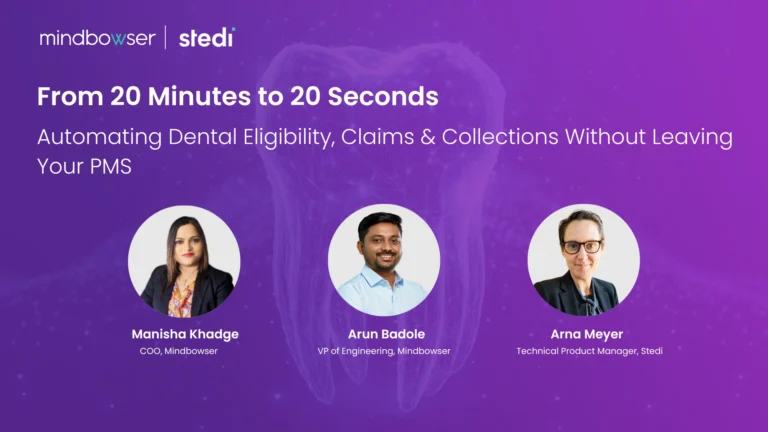
We build recall, reminders and two-way messaging into dental products, written back to the PMS, as part of our dental software development work. Our PMS production proof is Open Dental: you can watch our engineers’ Open Dental build write verified insurance benefits back into the PMS in the dental eligibility automation webinar. For Dentrix, Eaglesoft, Denticon, Curve and CareStack, we build to each vendor’s access route. We work in 2-4 week sprints, under a signed BAA, and you own the code and the data. Bring the PMSs you need first to the call.
For products that also need medical electronic health record (EHR) data, ConnectHealth runs that side. ConnectHealth is our integration platform: it runs workflows in your own cloud, with Twilio messaging nodes for SMS, MMS and WhatsApp and scheduled triggers, and connects to 20+ EHRs, including Epic and athenahealth. Run it yourself, or have us build on it.
Start With Four Fields
Every recall setup rests on four PMS fields: recall type, interval, due date and status. You can test yours in an afternoon. Pull next month’s recall list from the PMS, check how many patients have a preferred contact method and a mobile number on file, and send one test reminder to yourself. Reply “C”, then open the appointment and see whether it says confirmed.