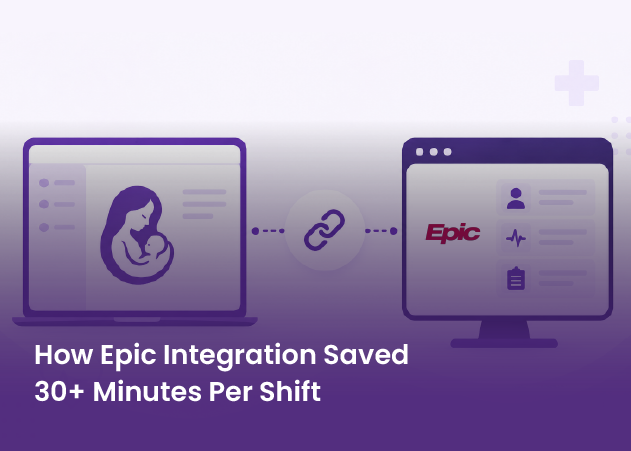
An AI-powered clinical decision support platform for Labor and Delivery needed real-time Epic data across more than 300 clinical data points, feeding providers, charge nurses, and predictive models. The original integration was built fully custom. Here is how ConnectHealth's interoperability layer would support that same workflow: FHIR and HL7 exchange, normalization, and event-driven sync, without a one-off build for every data type.
Talk to Our TeamAI-powered clinical decision support for Labor and Delivery
Real-time Epic integration: FHIR and HL7 exchange, data normalization, event-driven sync across 300+ clinical data points
SMART on FHIR, FHIR resources, HL7v2/ADT, ConnectHealth, AWS customer-owned VPC
ConnectHealth capability analysis (the delivered integration was fully custom)
The original engagement used a fully custom Epic integration rather than ConnectHealth. Applied to this workflow, ConnectHealth's platform would change three things:
Patient safety in Labor and Delivery left no room for a shaky data layer.
The platform depended on more than 300 clinical data points moving reliably between Epic and the application during active Labor and Delivery workflows.
Patient demographics, vitals, labor progression, encounters, clinical conditions, and delivery outcomes all had to remain synchronized in real time.
AI-based delivery predictions, automated SBAR handoffs, patient-status notifications, risk alerts, and unit-wide operational dashboards all depended on that same layer.
Any latency, mapping inconsistency, or synchronization failure could directly affect the workflows relying on that data.
The interoperability layer beneath the clinical platform, predictive models, and provider workflows.
Reusable FHIR and HL7v2 integration patterns support bidirectional movement of clinical data between Epic and the application, without a separate custom integration layer for every data type.
SMART on FHIR supports launching the application inside the Epic workflow with patient context already available, reducing context switching for clinicians. Reliable FHIR reads, writes, and HL7 events provide the data exchange foundation for automated SBAR handoff generation and real-time patient-status notifications.
Helix AI translates integration workflow requirements into a staged implementation plan for an integration engineer to review and approve before configuration. ConnectHealth deploys inside a customer-owned AWS VPC, keeping clinical data within customer-controlled infrastructure while supporting HIPAA-ready controls and BAA requirements.
The clinical portals, Motherboard UI, risk-alert experience, census forecasting, onboarding workflows, SBAR content-generation logic, and SageMaker prediction models remain custom application and AI engineering. ConnectHealth addresses the interoperability layer underneath them.
Talk to our team about the interoperability layer, so your engineers can stay focused on the clinical product.
Partner with us to design, build, and scale digital solutions that drive better outcomes.
Global Tech Teams LLC, 525 Washington Blvd, Industrious at Newport Tower, Jersey City, NJ 07310, United States.
Let’s discuss your goals, workflows, and next steps in a focused consultation call.
 Schedule a Call















 BLOGS
BLOGS  NEWSROOM
  CASE STUDIES
  WEBINARS
  PODCASTS
  ASSET HUB
  EVENT CALENDAR