


















Top 19 Healthcare UI/UX Design Practices to Keep in Mind
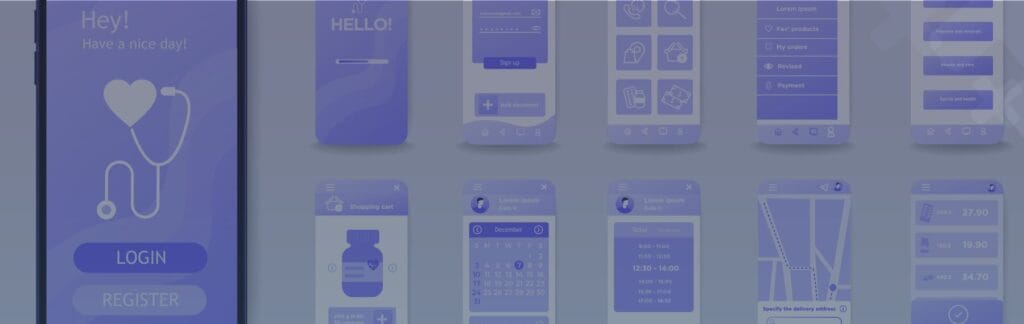
1. Start with a Wireframe
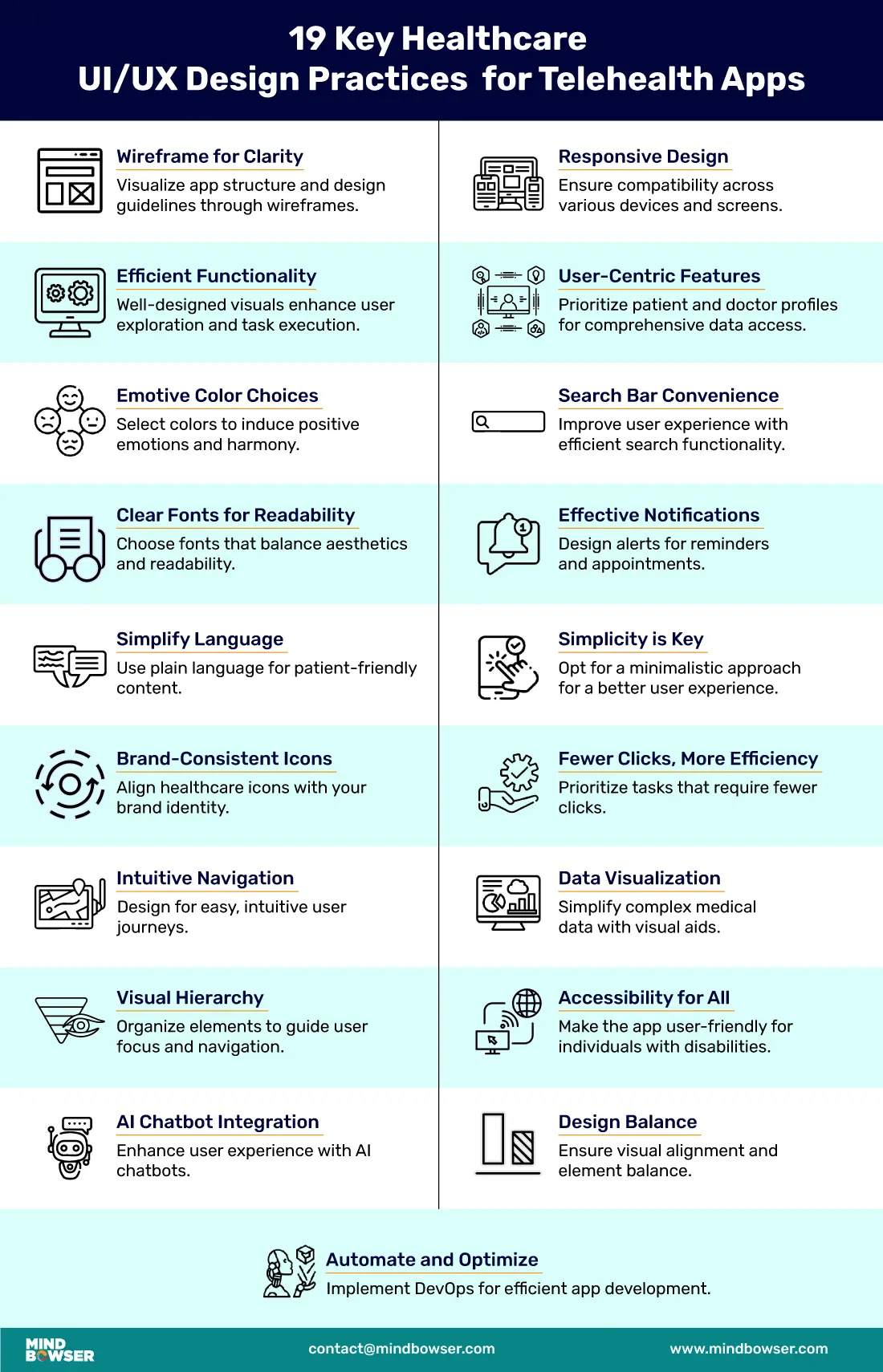
Wireframe provides a visual representation of the application and acts as a blueprint for the visual interface by defining the screen layouts and user interaction flows. Create a medium-to-high fidelity wireframe to define the design outline that represents basic product branding, styling, color, content, and features. Design separate mock-ups for a website and mobile devices that provide a visual representation of how various features can be added in different screen sizes.
Healthcare professionals can test healthcare UI/UX design to identify usability issues and provide feedback using wireframing tools like Sketch, Invision, and Figma. This collaborative approach helps pinpoint user pain points, enabling the creation of user-centric designs. Based on feedback, the design can be fine-tuned to rectify identified issues.
2. Functionalities
A clear and well-crafted visual design attracts users to explore the functionality of the app and helps them execute a particular task. While there are several use cases to be covered in the design, the UI must facilitate a smooth and hassle-free experience for the users. The app must be designed keeping in mind different end users and their technological skills by implementing simpler workflows that help to achieve the desired goals with minimum clicks.
Finding the right balance between being feature-oriented and task-oriented is important as the user should be able to complete the required task without any issues. This helps to build trust between healthcare providers and patients, ultimately enhancing the overall healthcare experience.
3. Calming Colors
Colors are often associated with moods and each color has a meaning that can affect human behavior. When designing a telehealth app, color theory plays an important role as it is important to select colors that provide a harmonious effect and invoke positive emotions. Calming colors such as blue and green have a soothing effect, as they evoke positive emotions and contribute to an overall positive user experience.
To convey urgent information such as alerts or notifications, vibrant colors can be used for important actions or warnings. Color palettes must also be selected keeping in mind the accessibility requirements so that the information is easily readable for elderly patients or individuals with visual impairments.
4. Readable Fonts and Typography
When selecting fonts for telehealth apps, take into account readability and aesthetics in mind so that the users can easily read the information provided. Select fonts that impart a clean and professional look to instill a sense of trust. Use sans serif typefaces such as Arial, Helvetica, Verdana, and Calibri as they are clean and simple to read.
Choose appropriate kerning to provide enough space between characters. Ensure that alignment of text is properly done to amplify the composition of UI to provide visually appealing effects. Select the size of the text so that it is easily legible for people with visual impairments and elderly patients.
5. Use Simple and Layman’s Language
Medical terms and content used in service descriptions can be complex and might potentially be overwhelming for the patients. Use simple language to provide information to the users so that they can understand the information quickly. Instead of adding technical jargon that can be difficult to comprehend, use a straightforward way to provide information. Various content elements such as labels, tooltips, and microcopy should guide the user to perform the task efficiently.
Give hints and recommendations that can help users to achieve their goals easily. Use an appropriate tone that is informal and friendly to help users understand things easily and reduce anxiety. In scenarios where including complex medical terms is essential, provide in-app help or a dictionary that helps users understand these complicated terms.
6. Icons that Match Your Brand Identity
Healthcare icons used in the design must match your brand identity to provide a consistent visual experience. This helps in brand recognition and builds trust among the users. When these icons harmonize with your brand’s colors, style, and overall message, they reinforce brand recognition and trust. Using consistent icons provides a sense of familiarity and helps users understand and engage with your healthcare platform.
Well-designed icons enhance the overall aesthetic appeal of healthcare UI/UX design, contributing to a visually pleasing and user-friendly experience. Selecting and customizing icons that convey information effectively while aligning with your brand’s identity is essential for creating a unified and compelling digital healthcare ecosystem.
7. Intuitive and Easy Navigation
Navigation is an important aspect of the design that can act as a decisive factor for the users to navigate the application successfully or completely abandon the flow altogether. The design should be intuitive enough for users to quickly navigate across various screens to achieve their goals. Clearly define the labels and provide appropriate descriptions so that users can navigate across the app section easily with minimum clicks.
As time is of the essence in telehealth apps where users want to finish the task quickly to save time, navigation should be designed in such a way that the users can search for information and complete tasks within a few seconds. The use of appropriate UI elements such as UI cards, top bars, and tabs allows users to return to the previous steps quickly to update any information easily.
8. Visual and Content Hierarchy
Visual elements within the telehealth apps must be arranged in a way that clearly defines the order of the importance of different elements within the design. The visual hierarchy must be defined to highlight the important elements appropriately for easy understanding of the workflow and effective navigation.
Ranking various elements based on their importance and placing them in appropriate order guides the user and helps them correctly understand what the page is all about.
Cluttering too many elements tightly together can get overwhelming for the users as the elements compete with each other on the screen and it gets difficult for the users to determine the correct call to action. The content elements should be effectively placed along with visual elements to complement each other so that it aids in navigation and enhances the overall visual appearance.
Harness the Potential of Design Thinking to Develop Exceptional Products that Lead to Success
9. Include AI Chatbot
Integrating AI chatbots in telehealth apps facilitates human-like conversations with patients to offer empathy and support throughout their user experience. These chatbots not only reduce the workload of healthcare professionals but also help patients to improve their overall experience. Chatbots can act as virtual assistants for patients by answering any common queries, scheduling appointments, sending reminders for medication and appointments, and connecting patients to virtual healthcare services.
When designing the chatbot, it is essential to keep the user-centric approach in mind to ensure that it offers seamless interaction that aligns with the healthcare industry’s ethical and privacy standards. This involves intuitive dialogue flows, clear communication of the bot’s capabilities and limitations, and robust data security measures to protect sensitive patient information.
10. Compatibility with Various Devices
The design should be responsive enough so that it is compatible to be displayed on various devices and screens. The visual elements in a responsive design automatically adjust visual elements to different screen sizes and orientation modes. Incorporating responsiveness in the design allows the adjusting layout so that all the visual elements are visible easily on the screen without any issues.
Prioritize responsive design principles in healthcare UI/UX design to ensure the interface adapts and functions optimally across various screen sizes and resolutions. Use flexible layouts, scalable graphics, and adaptive navigation menus. Optimizing performance and load times for mobile devices is crucial, as healthcare professionals often need quick access to critical information while on the move.
11. User-centric Features
Prioritizing user-centric features is crucial, and should consider both patients’ and doctors’ profiles. Patient profiles should offer comprehensive information, including medical history, current medications, and any allergies, ensuring that healthcare providers can quickly access critical data for diagnosis and treatment.
Doctor profiles should provide essential details about their specialization, experience, and availability, facilitating seamless communication between healthcare professionals and enhancing the patient referral process. By incorporating these user-centric features into the design, healthcare interfaces can streamline information sharing, improve patient care, and ultimately enhance the overall healthcare experience.
12. Search Bar Option
Searchability of information is an important factor that helps patients find the required information and also improves their overall experience as they don’t have to spend time searching for information across various screens. Implement a well-designed search bar that is easily visible to the patients and include an auto-suggestion feature to help them find information.
Design a search feature so that patients can still find some relevant information in case there is no direct search result. The search should also be able to be adaptable to include keyword typos, substitutes, and synonyms. This helps to improve the overall satisfaction and usability of healthcare digital interfaces.
13. Notification Designs
Design notifications in healthcare UI/UX to alert patients about reminders, appointments, and milestones. For elderly patients who may struggle with technology, provide hints and tips to help them use the apps effectively for daily tasks. Ensure notification content is clear, concise, and easy to understand, delivering relevant information without overwhelming users.
Use separate colors for different types of notifications to help users understand the nature and urgency of the alert. Provide options to patients so that they can customize their notifications for a more personalized experience to improve overall engagement with the healthcare platform.
14. Keep Things Simple and Minimalistic
When it comes to designing a telehealth app where patients want to quickly find the required information, simplicity and minimalism is the key to success. The less is more approach helps in delivering an enhanced user experience. Create an intuitive navigation without any complexities or distractions so that users are focused on getting the tasks done. Use clean UI elements without any decorative attributes and organize the elements to provide a clutter-free look and feel.
Utilize white space effectively to balance out all the visual elements for an impressive and crisp look and feel. The minimalist approach in design takes into consideration clarity of thought, the functionality of each element, and eliminating unwanted elements to provide a simpler and more consistent experience. A minimalist approach in design also helps to improve the speed as the load time is reduced.
15. Optimize for Fewer Clicks
A good user experience is easy to navigate and involves minimum steps required to be done to accomplish a task. As a golden rule, the users should be able to find the required information using 3 clicks. While this rule cannot fit in place for all the scenarios or workflows, it is beneficial to design the applications keeping this into consideration. An increase in the number of clicks also increases the possibility of users leaving the site.
Optimize the apps to use fewer clicks by implementing intuitive navigation menus, well-structured information hierarchies, and clear call-to-action buttons. Additionally, minimizing unnecessary steps in processes such as appointment booking or accessing medical records not only saves time but also reduces the risk of user frustration.
16. Smooth Data Visualization
Displaying large amounts of medical information can be challenging but providing crucial medical information is also essential. Using data visualization techniques, large data can be presented in a simplified and engaging manner for better understanding. This approach also helps patients and healthcare providers make informed decisions.
Depending upon the type of data select appropriate visualization types such as charts and graphs for displaying information. Focus more on presenting visual information through images with minimal information wherever required.
17. Universality and Accessibility
By taking into consideration accessibility and inclusivity, design the telehealth app that is easy to navigate for individuals with disabilities. Consider accessibility guidelines to include appropriate font sizes, and theme preferences, adjust the elements and use high contrast to improve visibility, and optimize the design for use with both right-handed and left-handed people.
Use a text-to-speech feature and include alternative texts for images so that users with visual impairments can easily use the apps and also include options for incorporating multiple languages. Select color palettes by keeping in mind the users with colorblindness. Conduct user acceptance testing to fully check the accessibility functionality of the apps.
18. Alignment and Balancing
While keeping the design simple helps in crafting a clear UI, aligning various elements helps to provide a user-friendly interface and visually pleasing look. Ensuring consistency while placing elements, such as text, buttons, and images, along a defined grid or axis helps to create a sense of order and structure, making it easier for users to scan and understand the content.
Distributing visual elements, including colors and whitespace, harmoniously throughout the design to avoid clutter and maintain a pleasing aesthetic. Proper alignment and balance are essential for conveying information clearly, reducing cognitive load, and enhancing the overall user experience.
19. Keep Automating and Optimizing
Implementing DevOps in creating telehealth apps facilitates continuous integration and continuous delivery for quick code integration, testing, building, and deployment in the testing or production environments. Frequent updates with high quality can be easily achieved by using DevOps integration which leads to lower downtime and high user satisfaction.
Infusing security and reliability also helps to build trust among the users and higher engagement. DevOps allows for more frequent testing, bug fixes, and security updates, ensuring that healthcare interfaces remain reliable, secure, and aligned with industry standards.

While creating a telehealth program ensure the implementation of these best practices for success:
- Determine the feasibility of the services or offerings associated with the telehealth program along with potential risk factors.
- Identify the processes and workflows that would need to be implemented by evaluating each feature of the offering.
- Create a prototype to test the offering and gather feedback from patients or healthcare professionals.
- Deploy the offering and communicate with end users to gather their feedback and document the feedback to fine-tune the offering.
- Track the success by measuring the performance metrics.
Implementing telehealth in hospitals involves investing in setting up a telehealth service through appropriate infrastructure such as video conferencing setup and secure patient management systems. Appropriate policies and procedures that adhere to regulatory policies and data privacy must be established. Imparting training to the hospital staff regarding the protocols and patient engagement methods is necessary to set up standard procedures in place. Promoting the telehealth service to the patients to derive the benefits of the services for accessing medical advice remotely enables the successful implementation of telehealth.
Technological requirements for a successful implementation of healthcare include:
- A reliable high-speed internet connection is fundamental, enabling smooth audio and video communication between healthcare providers and patients.
- Compatible devices, such as smartphones, tablets, or computers, are equipped with cameras and microphones for virtual consultations between patients and healthcare providers.
- Secure and compliant telehealth platforms or software solutions are essential to safeguard patient data and meet regulatory standards.
- Electronic health records (EHR) integration ensures access to patient history and relevant medical information during telehealth sessions, enhancing the quality of care provided.
UX design in healthcare focuses on creating user-centered interfaces that improve the experience for patients and healthcare professionals. It involves designing intuitive, accessible, and effective digital tools and platforms that enhance interaction, streamline workflows, and support better patient outcomes. Good healthcare UI/UX design ensures that applications are user-friendly, meet regulatory standards, and facilitate a smooth, efficient user experience.