BLOGS
BLOGS  NEWSROOM
  CASE STUDIES
  WEBINARS
  PODCASTS
  ASSET HUB
  EVENT CALENDAR






















Modern healthcare workflows demand applications that are embedded, context-aware, and secure. Providers should not switch systems or re-authenticate to access critical tools.
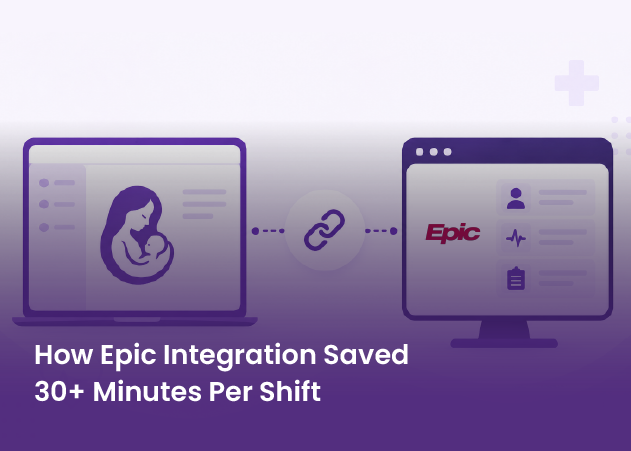
SMART on FHIR enables third-party applications to launch directly inside Electronic Health Records (EHRs) with full patient and provider context.
This document provides a complete, end-to-end guide for building a SMART on FHIR embedded application for Athenahealth using Node.js, designed for service-to-provider-to-service workflows.
What is Athenahealth?
Athenahealth is a leading cloud-based Electronic Health Record (EHR) platform widely used by healthcare providers across the United States.
Athenahealth provides:
- Clinical documentation
- Scheduling and billing
- Revenue cycle management
- Patient engagement tools
- Developer APIs for interoperability
Athena supports SMART on FHIR, allowing third-party applications to embed directly inside the provider’s EHR interface, enabling seamless clinical workflows without additional logins.
What is SMART on FHIR?
SMART on FHIR (Substitutable Medical Applications & Reusable Technologies) is an industry standard that defines how applications securely integrate with EHR systems.
SMART on FHIR combines:
- FHIR for healthcare data exchange
- OAuth 2.0 for authorization
- OpenID Connect for user identity
Key capabilities:
- Single sign-on (SSO) for providers
- Automatic patient and encounter context
- Standardized permission scopes
- Vendor-agnostic app architecture
SMART allows the same app to work across multiple EHRs with minimal changes.
SMART Embedded App Concept (Athena)
A SMART embedded app:
- Launches from inside Athena’s EHR UI
- Requires no separate login
- Receives patient, provider, and encounter context automatically
- Uses OAuth tokens to securely access FHIR APIs
Example Provider Workflow:
- Provider opens a patient chart in Athena
- Provider clicks the embedded app
- Athena launches the app with context
- App fetches FHIR data and renders insights

Prerequisites
Before starting, ensure you have:
- Athenahealth Developer Portal access
- Athena Sandbox EHR access
- Sandbox provider user accounts
- Node.js (18+ recommended)
- Understanding of:
→ OAuth 2.0
→ OpenID Connect
→ SMART on FHIR
→ FHIR R4 resources - A public HTTPS endpoint (e.g., ngrok for development)
Step 1: Pre-Planning & Scope Definition
Define Your Use Case
Clarify:
- Provider roles using the app
- Where the app launches (patient chart, workflow tab, etc.)
- Read-only vs read/write data access
- Need for background processing or long sessions
Common SMART Scopes
Typical provider-facing scopes include:
launch
patient/*.read
openid
profile
fhirUser
offline_access (optional)
Always request the minimum required scopes.
Step 2: Register Your App in Athena Developer Portal
- Log in to Athenahealth Developer Portal
- Create a new SMART on FHIR Application
- Configure:
- App Name & Description
- App Type: Confidential
- Launch URL
https://yourapp.dev/launch - Redirect URI
https://yourapp.dev/callback - Required scopes
- OpenID support enabled
- Save and record:
- client_id
- client_secret
Redirect URIs must match exactly.
Step 3: Coordinate with Athena (Critical Step)
Create a support ticket with Athena requesting:
- SMART app whitelisting
- Athena Sandbox EHR access
- Provider test accounts
- Embedded app configuration in sandbox UI
- Confirmation of:
→ OAuth authorization endpoint
→ Token endpoint
→ FHIR base URL - API rate limits and usage policies
This step enables your app icon to appear inside the Athena EHR.
Related read: Integrating FHIR Resources with Backend Services: A Comprehensive Guide
Step 4: Athena Sandbox EHR Setup & Testing
Once approved:
- Log in to Athena Sandbox EHR as a provider
- Open a patient chart
- Launch your embedded app
- Confirm Athena passes:
→ iss (FHIR server URL)
→ launch token - Verify successful OAuth redirect and token exchange

Talk to an Expert About Embedding Apps Inside Athenahealth
Step 5: Node.js Application Setup
Initialize Project
mkdir athena-smart-app
cd athena-smart-app
npm init -y
npm install express fhirclient dotenv
Environment Variables
CLIENT_ID=your_client_id
CLIENT_SECRET=your_client_secret
REDIRECT_URI=https://yourapp.dev/callback
SCOPES=launch patient/*.read openid profile fhirUser offline_access
Step 6: Implement SMART Launch & OAuth Flow
Launch Endpoint
- Receives iss and launch from Athena
- Initiates SMART authorization
OAuth Callback
- Exchanges authorization code for tokens
- Accesses FHIR APIs using the issued access token
- Fetches patient or provider data securely
This logic runs entirely on the backend.
Step 7: Testing the Embedded App
Validate:
- App launches from Athena UI
- OAuth flow completes successfully
- Patient context is available
- FHIR resources return expected data
- Errors are handled gracefully
Any launch issues can be debugged with Athena support.
Step 8: Token Management & Long Sessions
If offline_access is enabled:
- Store refresh tokens securely (encrypted storage)
- Automatically refresh access tokens
- Never expose tokens to the browser
This supports:
- Long provider sessions
- Background jobs
- Async processing
Step 9: Security & Compliance Best Practices
- Enforce HTTPS everywhere
- Validate iss issuer URLs
- Store secrets securely
- Do not log PHI
- Limit scopes to a minimum
- Follow HIPAA and Athena security guidelines
Step 10: Production Deployment & Go-Live
Before production:
- Update production URLs in Athena Developer Portal
- Complete Athena production approval
- Perform UAT with real provider users
- Monitor:
→ Token failures
→ API rate limits
→ Error logs
Conclusion
Building a SMART on FHIR embedded app with Athenahealth and Node.js enables truly context aware, single sign-on clinical workflows that fit naturally into provider routines. By following a structured approach from app registration and sandbox setup to secure OAuth handling and FHIR data access, you can deliver applications that are interoperable, scalable, and vendor aligned. The result is faster adoption, reduced workflow friction, and meaningful clinical utility.
When executed with strong security, minimal scopes, and production ready token management, Athena embedded apps become long term assets rather than one off integrations. This implementation model supports future EHR expansion, evolving use cases, and regulatory compliance. Ultimately, SMART on FHIR is not just a technical standard it is a foundation for building resilient, provider first healthcare applications.